
Lisle Medical’s Prepayment Credit Portal
Instructions for sign up
If you purchase credits in bulk you can check your balance using the web portal on your computer or as an app on your phone.
You don’t need a degree in computer science to set it up, but it might take a few moments.
The instructions below will hopefully make it simple - please follow the steps and let us know if you have any difficulty.
The portal is completely separate from your medical notes and holds only your basic contact details to sign in and check your credit balance.
Go to portal.lislemedical.com. The images show what you should see.
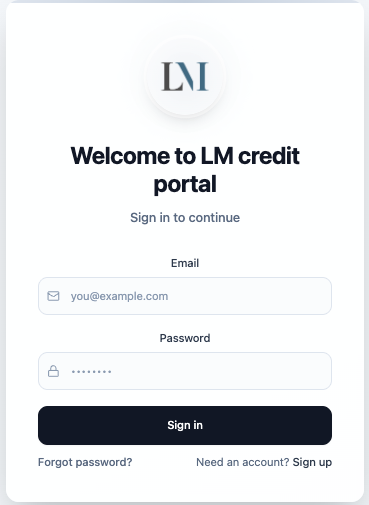
Click or tap on Sign up.
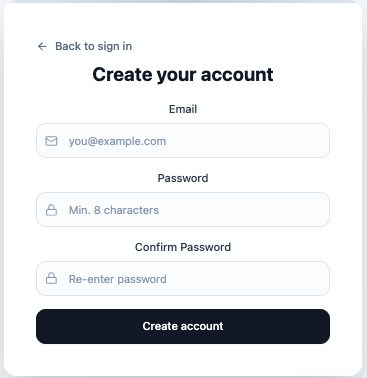
Enter your email and choose a password, click or tap Create account.
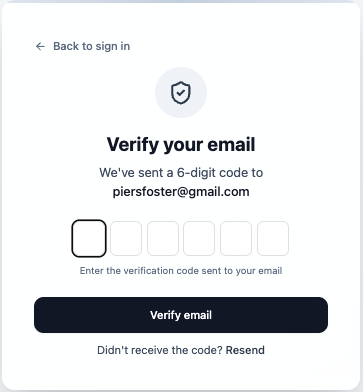
Check your email for a 6-digit confirmation code from LM credit portal. This may be in your junk mail/spam.
Enter this code and click or tap Verify email.
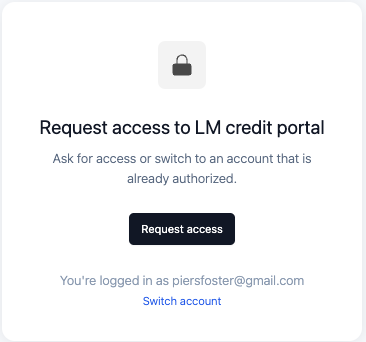
Click or tap on Request access.
The Lisle Medical admin team will now have to authorise your access and upload your credit balance. Once done you will receive an email from Base44.
You will then be able to log in at portal.lislemedical.com
If you would like to add the portal as an app on your iPhone please use your Safari browser to go to the portal website.
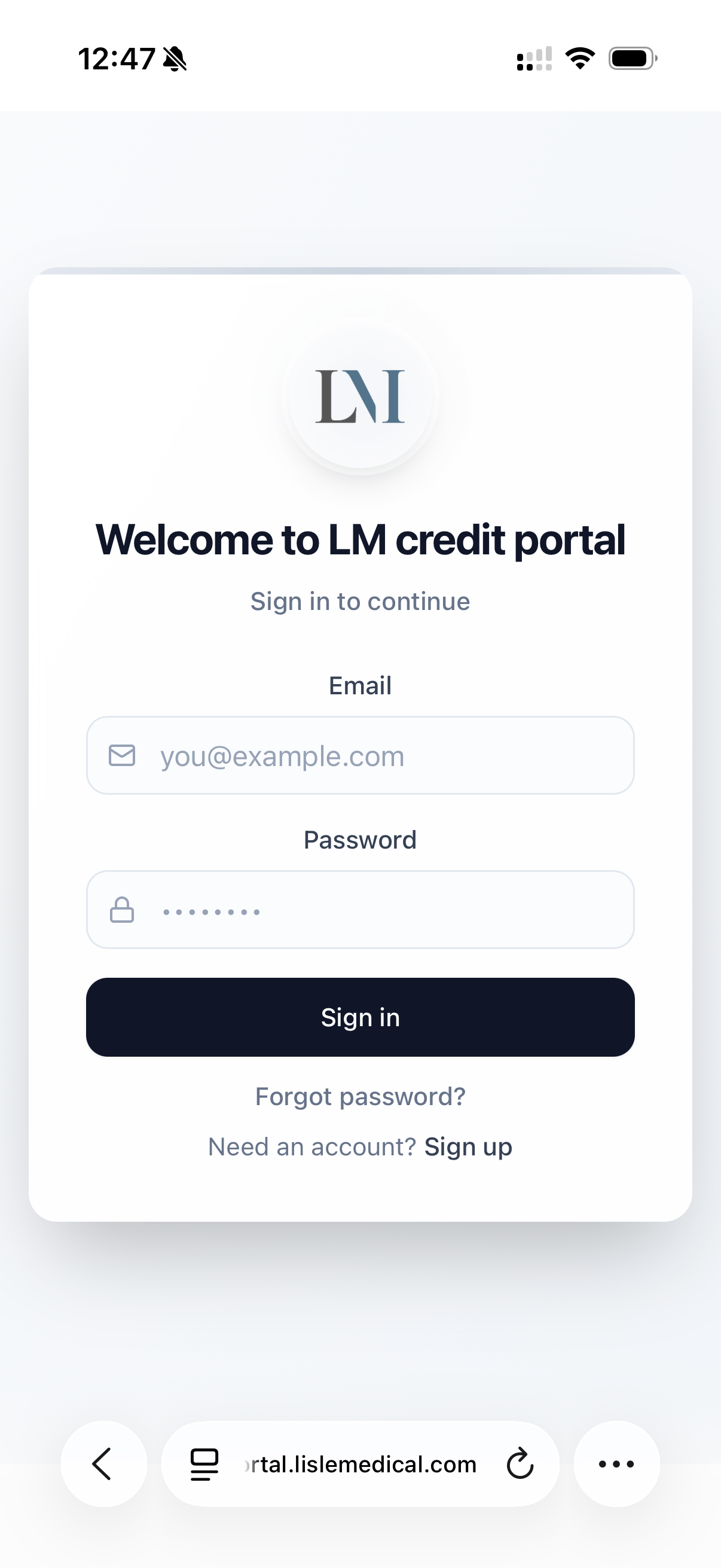
Tap the three dots menu button.
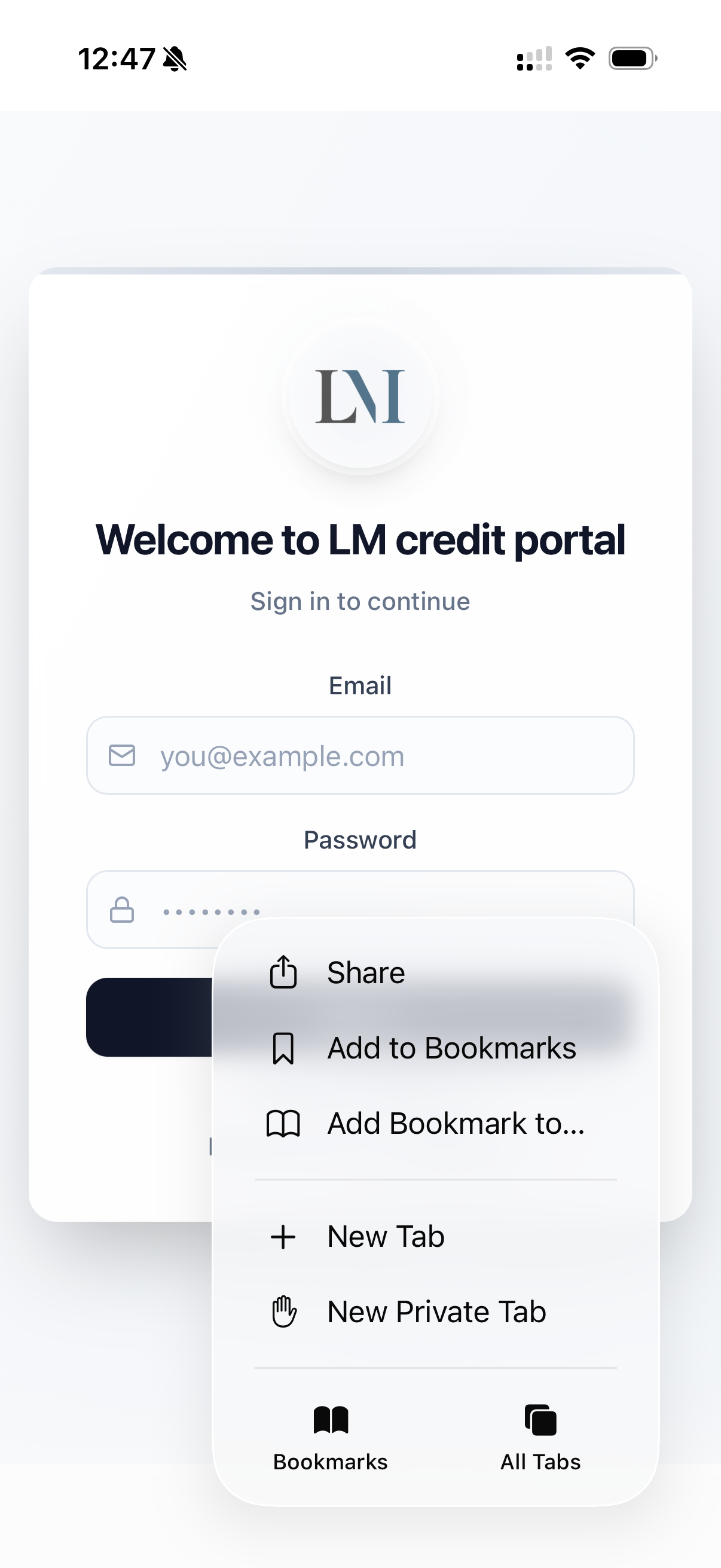
Tap Share.
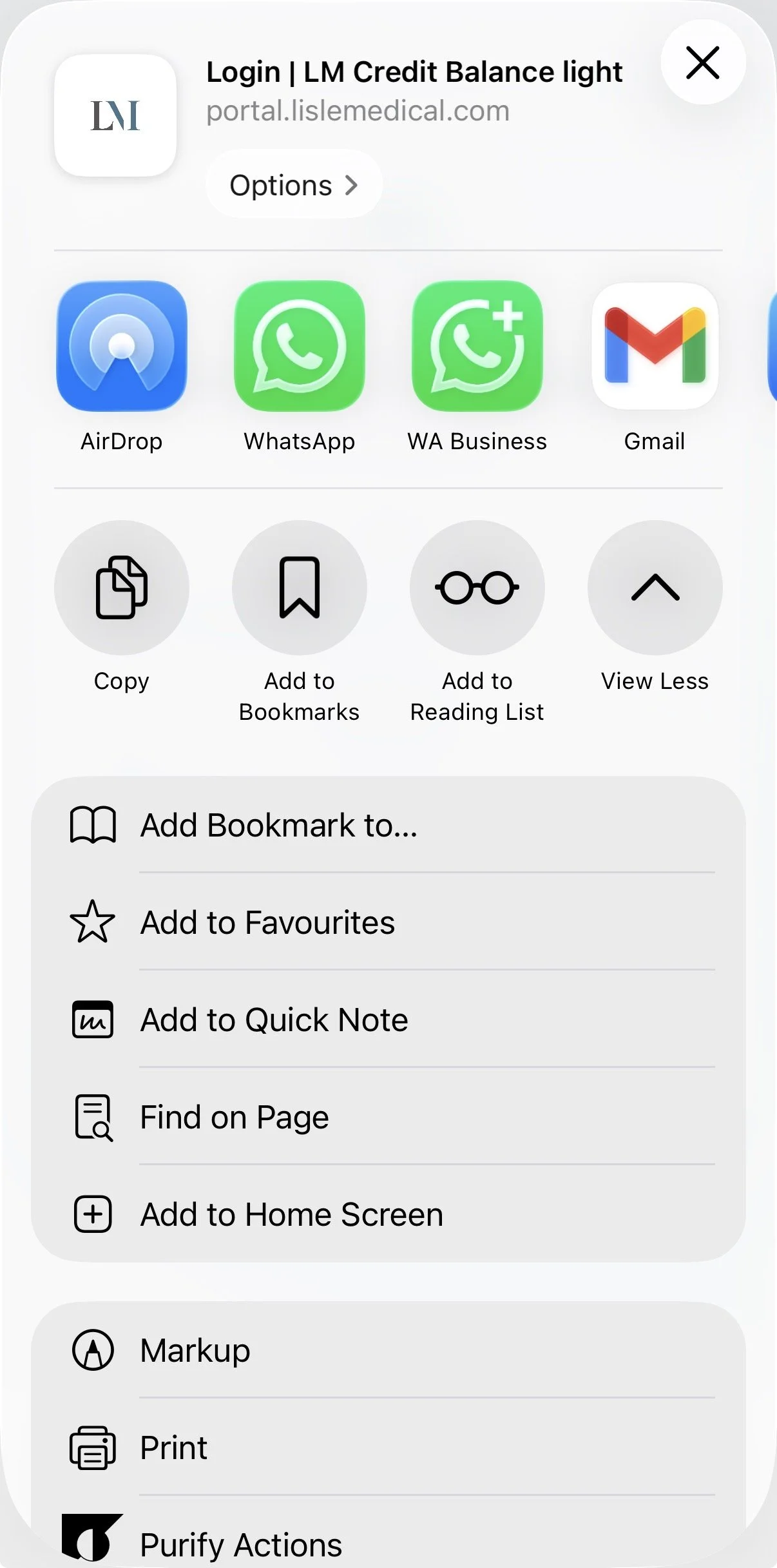
Tap Add to Home Screen
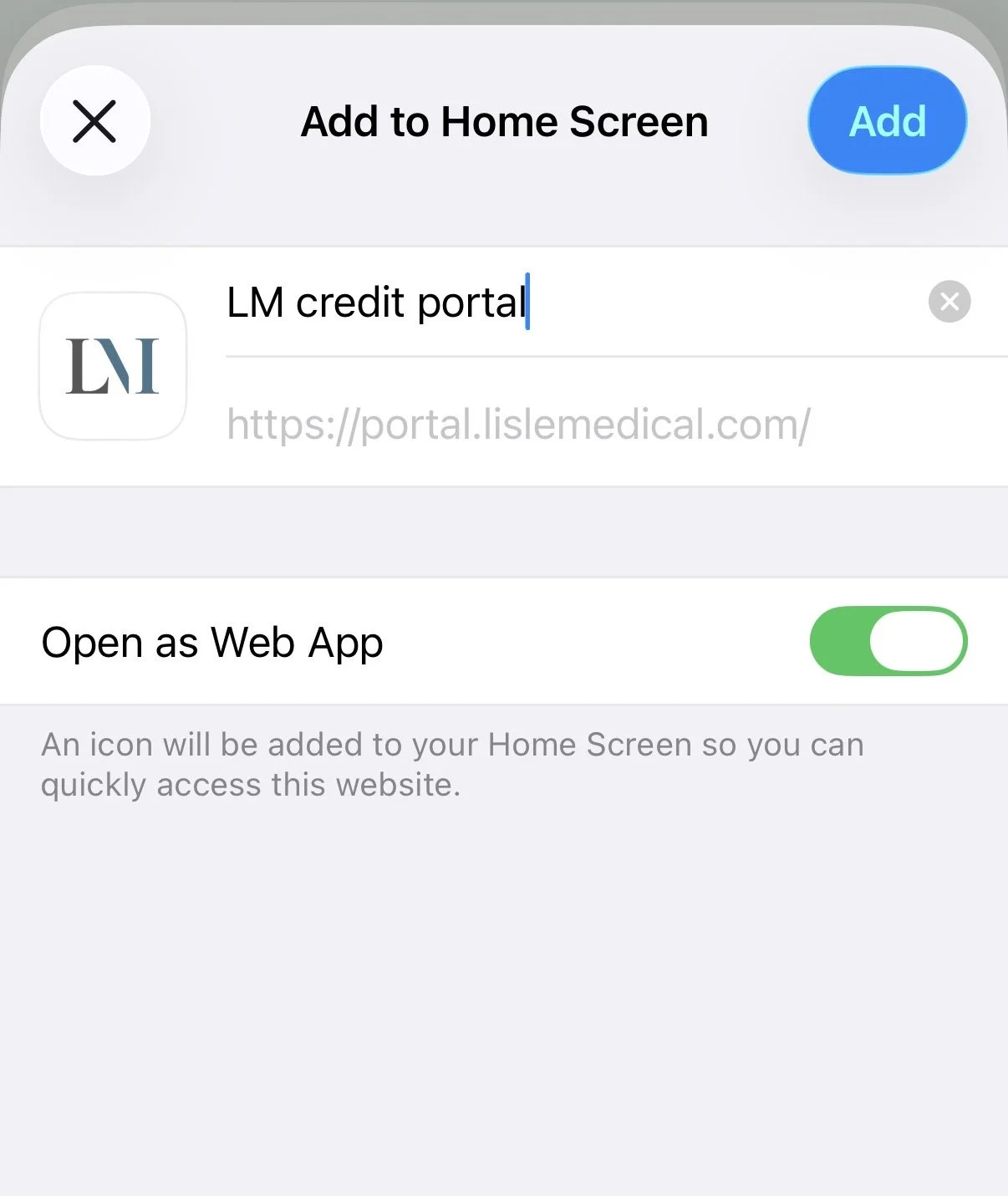
Choose a name for the app on your phone, keep “Open as Web App” green for ‘on’, tap Add and it should be there on your home screen.